How to use Zoom
Rocket LMS is integrated with Zoom so you can use Zoom as a live meeting provider.
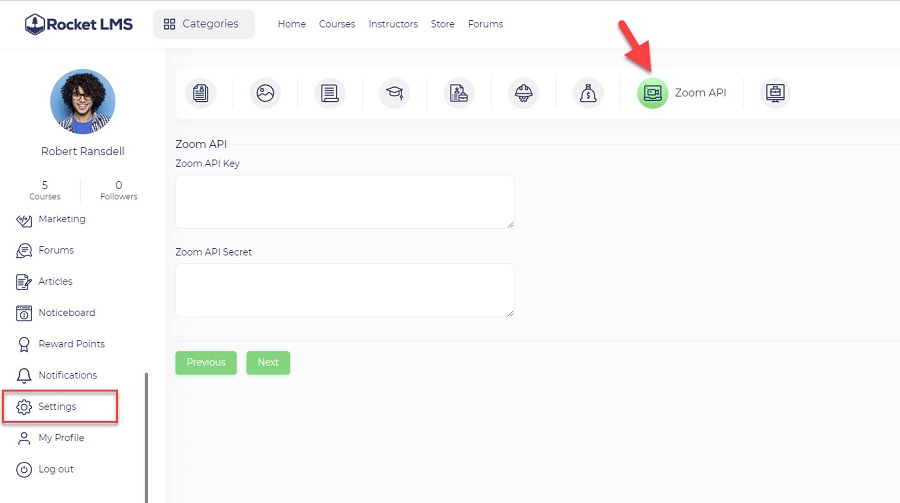
Each instructor should get Zoom API Key and API Secret from Zoom App Marketplace and define it in the profile settings.
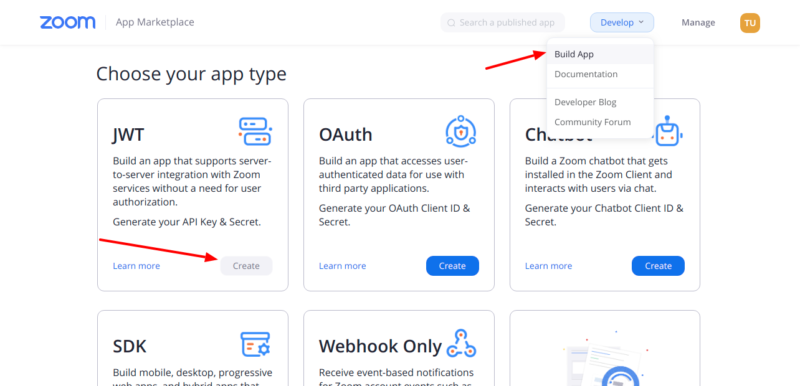
- First of all login to the Zoom App Marketplace with your Zoom account, If you dont have an account yet please signup here.
- Click on Develop -> Build app after signing in to Zoom marketplace and after that click on “create” under JWT
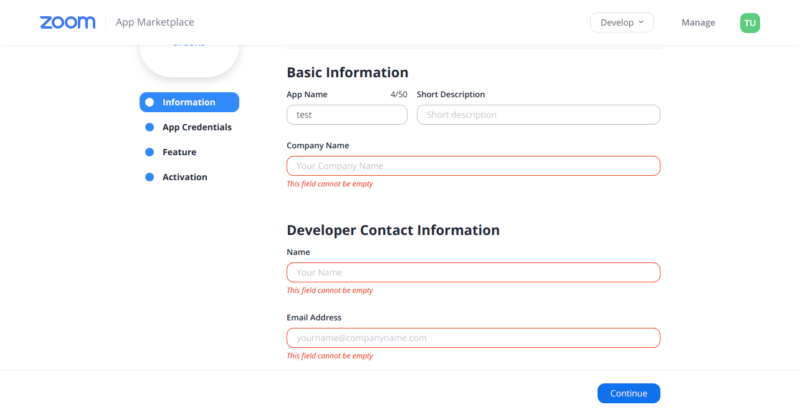
- You will now be redirected to the App detail page. Fill in the required details on this page i.e Company name, developer name, and email address.
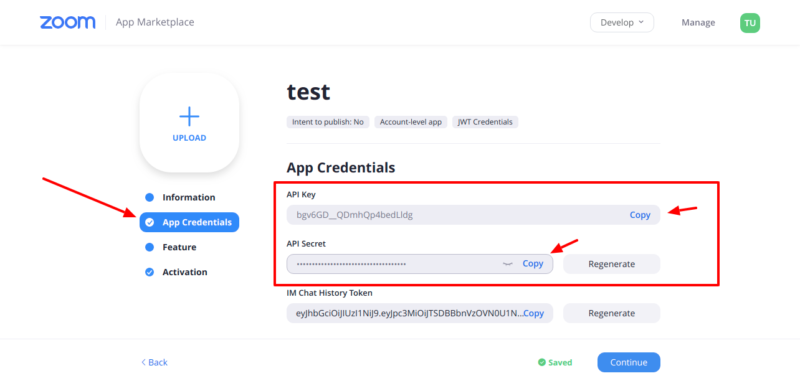
- After you fill in the details above, you will be redirected to the App credentials section, here copy the API key and API secret key using the copy link and paste these values inside the instructor Zoom settings page.
- After you fill in the details above, you will be redirected to the App credentials section, here copy the API key and API secret key using the copy link and paste these values inside the instructor Zoom settings page.